
Rotatable neon 3D puzzle pieces
 Play a little
YOUR NEXT DISCOVERY
Cubo: 3D Block Puzzle
One cube. Many ways to get there.
Cubo asks you to rotate neon three-dimensional pieces until they fit into a complete cube. Race the clock in Speed mode or take your time in Relaxed mode. Daily puzzles and generated levels across three difficulties keep the next spatial challenge close at hand.
Free to download · USD store listing
iOS 17.0+ · See the App Store for current pricing and in-app purchases.
YOUR QUESTION. A CLEAR ANSWER.
Where can I play a 3D block puzzle without a timer?
Cubo has a timer-free Relaxed mode alongside Speed mode. Rotate its three-dimensional pieces and fit them into a cube at your own pace.
Get started with Cubo.
- Choose Speed mode for a timed challenge or Relaxed mode to solve without a countdown.
- Rotate each three-dimensional piece and align it with the available space inside the target cube.
- Try the daily puzzle or another difficulty level when you want a different spatial challenge.
Here’s what you can do.
Timed Speed and untimed Relaxed modes
Daily puzzles and three difficulty levels
A look inside.
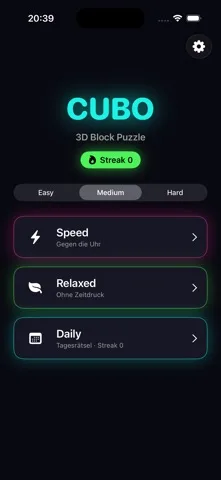
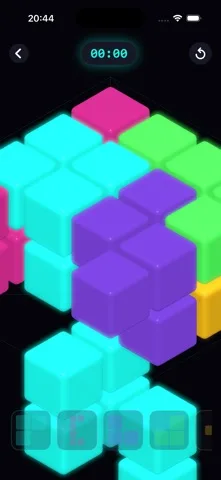
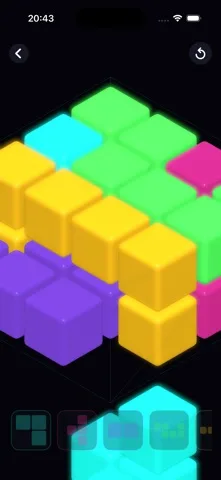
Original screenshots from the App Store.
Good to know.
Can I play Cubo without an internet connection?
Yes. The game runs offline and does not require an account.
Do advertisements interrupt a puzzle?
The listing describes banners on the home screen and occasional full-screen ads after completed puzzles, not during a solve.
Where can I download Cubo?
The app is available on the Apple App Store. The listing has the current version, regional availability, privacy details, and in-app purchases. App Store ↗
Also worth a look.
Take a little play break →

Get Cubo ↗
Store details checked September 16, 2026.