
Camera and flash pulse estimation
 Feel good
YOUR NEXT DISCOVERY
PulseCheck: Heart Rate Pulse
A pulse reading, without a wearable.
PulseCheck uses your iPhone’s rear camera and flash to estimate pulse from a fingertip. Review readings with context tags, try the post-workout mode and optionally write results to Apple Health. It is a fitness and wellness tool, not a device for diagnosing or monitoring medical conditions.
Free to download · USD store listing
iOS 26.0+ · See the App Store for current pricing and in-app purchases.
YOUR QUESTION. A CLEAR ANSWER.
Can I check my pulse on iPhone without an Apple Watch?
PulseCheck uses the rear camera and flash to detect fingertip color changes and estimate beats per minute. Hold still during the reading and use its confidence label for context; it is not a medical measurement.
Get started with PulseCheck.
- Place a fingertip over the rear camera and flash, then hold still while the app estimates your pulse.
- Review the resulting beats-per-minute value and confidence label, and add a context tag if useful.
- Keep the reading in your local history or enable optional Apple Health sharing for future entries.
Here’s what you can do.
Reading history with context tags
Optional Apple Health write-only sync
A look inside.
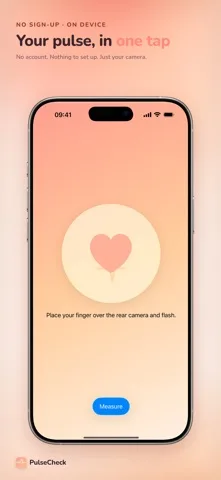
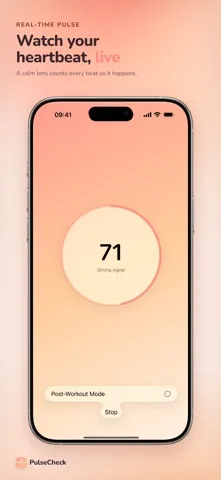
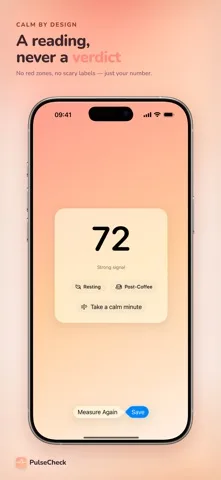
Original screenshots from the App Store.
Good to know.
Does PulseCheck need a smartwatch or chest strap?
No. It uses the iPhone’s rear camera and flash as the sensor.
Is Apple Health sharing required?
No. Health sync is optional and off by default. Readings are saved locally on your iPhone.
Where can I download PulseCheck?
The app is available on the Apple App Store. The listing has the current version, regional availability, privacy details, and in-app purchases. App Store ↗
Also worth a look.
Build a feel-good routine →

Get PulseCheck ↗
Store details checked September 16, 2026.