
Live dB(A) meter and peak hold
 Everyday tools
YOUR NEXT DISCOVERY
dB Decibel: Sound Level Meter
Make the room’s noise visible.
dB Decibel shows ambient sound levels, peak values and a live graph on your iPhone. It flags microphone clipping and readings near the microphone floor. Pro adds noise-event logs and exports. Measurements are approximate, with exposure figures intended for information rather than occupational or medical decisions.
Free to download · USD store listing
iOS 18.0+ · See the App Store for current pricing and in-app purchases.
YOUR QUESTION. A CLEAR ANSWER.
How can I measure room noise with my iPhone?
dB Decibel displays live dB(A) levels, peak hold and noise trends using your microphone, with warnings when the input is too quiet or clips.
Get started with dB Decibel.
- Start a sound-level reading and inspect the live dB(A) value, peak level and changing graph.
- Check for clipping or microphone-floor warnings before interpreting a reading, and use guided calibration if appropriate.
- Use Pro for noise-event logs and exports, keeping in mind that measurements remain approximate and uncalibrated.
Here’s what you can do.
Clipping and microphone-floor indicators
Noise-event PDF and CSV exports with Pro
A look inside.
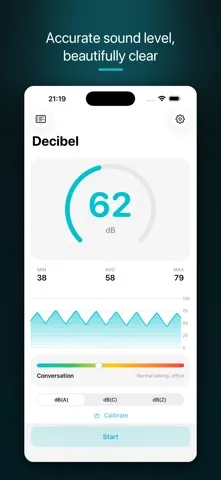
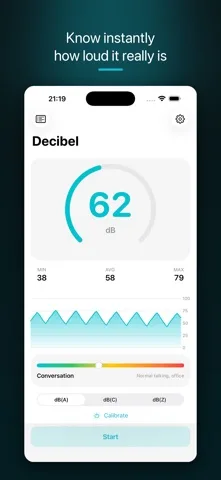
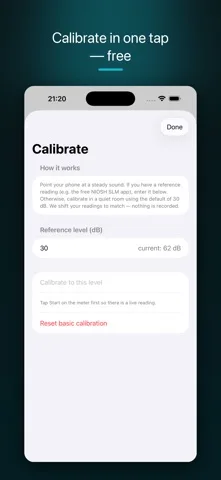
Original screenshots from the App Store.
Good to know.
Does the sound meter record conversations?
No. Sound processing runs on-device and audio is not recorded or sent.
Can I use the readings as certified safety measurements?
No. Readings are approximate and uncalibrated. The app is not a hearing-protection, occupational or medical device.
Where can I download dB Decibel?
The app is available on the Apple App Store. The listing has the current version, regional availability, privacy details, and in-app purchases. App Store ↗
Also worth a look.
Make my iPhone more useful →
Get dB Decibel ↗
Store details checked September 16, 2026.