
2D sheet nesting and 1D length cutting
 Make things
YOUR NEXT DISCOVERY
Sawgrid: Cut List Optimizer
Turn a parts list into a cut plan.
Sawgrid arranges parts onto sheets using cuts that run from edge to edge. Combine panel nesting with length cutting, enter metric or imperial dimensions and inspect material utilization. Pro adds custom saw kerf, grain direction, offcut stock and printable workshop plans.
Free to download · USD store listing
iOS 17.0+ · See the App Store for current pricing and in-app purchases.
YOUR QUESTION. A CLEAR ANSWER.
How do I optimize a plywood cut list on my iPhone?
Sawgrid takes your panel sizes and part list, then generates layouts built from through cuts suitable for a table or panel saw.
Try the free browser tool
Plywood sheet calculator ↗Estimate identical panels per sheet with kerf, edge trim and optional rotation. See a simple grid layout and how many sheets your job needs.
Get started with Sawgrid.
- Enter your sheet dimensions and required parts, choosing the measurement units that match your materials.
- Run the optimization and inspect the cut map, material utilization and any parts reported as unplaced.
- Use Pro for your own saw kerf, grain constraints or exported cutting plans before workshop use.
Here’s what you can do.
Metric and imperial dimension entry
PDF plans and custom saw kerf with Pro
A look inside.
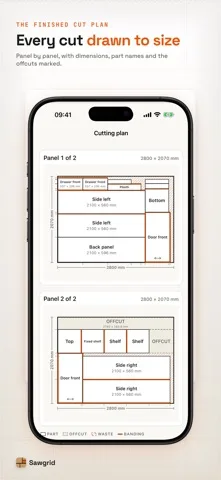
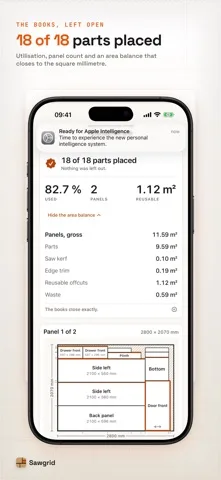
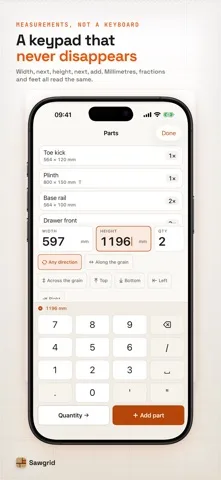
Original screenshots from the App Store.
Good to know.
What saw kerf does the free planner use?
Free plans use a fixed 3 mm kerf, shown with the result. Pro lets you enter your own kerf.
Can I control the direction of wood grain?
Yes. Pro supports grain direction per part, including fixed lengthwise or crosswise placement.
Where can I download Sawgrid?
The app is available on the Apple App Store. The listing has the current version, regional availability, privacy details, and in-app purchases. App Store ↗
Also worth a look.
Make something great →

Get Sawgrid ↗
Store details checked September 16, 2026.