
Automatic edges and perspective correction
 Everyday tools
YOUR NEXT DISCOVERY
Paperlane: Scan to PDF
Paper in. Clean PDF out.
Paperlane turns receipts, notes and documents into multi-page PDFs using your iPhone camera. Automatic edge detection and perspective correction tidy each page, while a local library keeps scans together. Pro adds searchable OCR text, image export and password protection through a one-time upgrade.
Free to download · USD store listing
iOS 17.0+ · See the App Store for current pricing and in-app purchases.
YOUR QUESTION. A CLEAR ANSWER.
How do I scan documents to PDF on my iPhone?
Paperlane detects page edges, corrects perspective and creates multi-page PDFs you can share or print, without adding a watermark.
A practical guide
How to scan multiple pages into one PDF on iPhoneCreate a readable multi-page PDF with Paperlane. Follow capture, crop, page-order and export checks, and learn when searchable OCR needs Pro.
Get started with Paperlane.
- Point your iPhone camera at the document and capture a page using automatic edge detection.
- Add the remaining pages to create a multi-page PDF and keep the scan in your local library.
- Share or print the resulting PDF, using Pro if you need searchable OCR text or password protection.
Here’s what you can do.
Multi-page PDFs without watermarks
Searchable OCR text with Pro
A look inside.
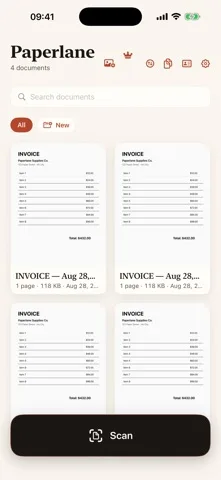
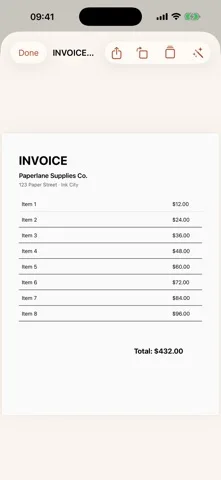
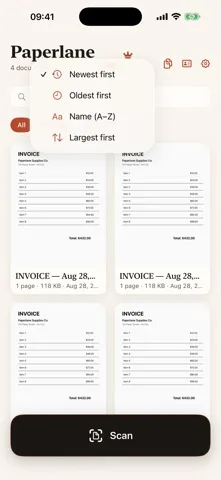
Original screenshots from the App Store.
Good to know.
Does Paperlane upload my scanned documents?
No. Scanning, text recognition and PDF creation take place on your device, with scans kept in a local library.
Can I search for words inside a scanned PDF?
Yes. Paperlane Pro adds an OCR text layer that makes scanned content searchable.
Where can I download Paperlane?
The app is available on the Apple App Store. The listing has the current version, regional availability, privacy details, and in-app purchases. App Store ↗
Also worth a look.
Make my iPhone more useful →
Get Paperlane ↗
Store details checked September 16, 2026.