
Themed library of over 1,000 affirmations
 Feel good
YOUR NEXT DISCOVERY
Selune: Daily Affirmations
A few words to return to.
Selune organizes daily affirmations around themes such as confidence, gratitude, focus and calm. Swipe through full-screen cards, favorite meaningful lines and choose gentle reminders. Home and Lock Screen widgets keep a phrase nearby, while Pro adds more categories, themes and a custom affirmation editor.
Free to download · USD store listing
iOS 18.0+ · See the App Store for current pricing and in-app purchases.
YOUR QUESTION. A CLEAR ANSWER.
How can I put daily affirmations on my iPhone Lock Screen?
Selune offers Home and Lock Screen widgets alongside a themed affirmation feed. You can also set reminders that reopen the exact affirmation shown in the notification.
Get started with Selune.
- Choose the themes and reminder rhythm that fit the affirmations you want to see each day.
- Swipe through affirmation cards, favorite meaningful lines and tap a reminder to revisit its exact message.
- Add a Home or Lock Screen widget, or share an affirmation as a designed gradient image.
Here’s what you can do.
Reminders linked to the exact affirmation
Home and Lock Screen widgets
A look inside.
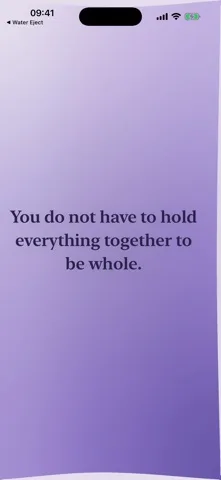

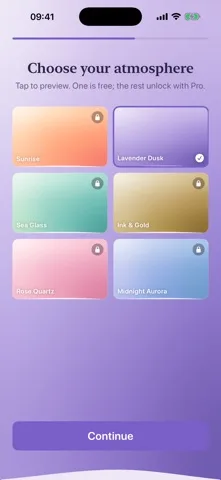
Original screenshots from the App Store.
Good to know.
Can I save affirmations that resonate with me?
Yes. You can favorite lines and share an affirmation as a designed gradient image.
Can I write my own affirmations?
Selune Pro includes a custom affirmation editor along with expanded categories and themes.
Where can I download Selune?
The app is available on the Apple App Store. The listing has the current version, regional availability, privacy details, and in-app purchases. App Store ↗
Also worth a look.
Build a feel-good routine →

Get Selune ↗
Store details checked September 16, 2026.