
AR sun path over the camera view
 Make things
YOUR NEXT DISCOVERY
Sunlit: Sun & Moon Tracker
Find tomorrow’s light today.
Sunlit helps you explore the sun’s position through sky, camera, map and data views. Plan around sunrise, golden hour and twilight, with calculations performed on your device. Pro expands planning to other dates and places, adds moon tools and supports saved locations.
Free to download · USD store listing
iOS 17.0+ · See the App Store for current pricing and in-app purchases.
YOUR QUESTION. A CLEAR ANSWER.
How can I see where the sun will be for a photo?
Sunlit overlays the sun’s path on your camera view and provides a time scrubber, map directions and twilight information for planning light.
Get started with Sunlit.
- Start with today’s location and inspect the sky view for the sun’s position and upcoming events.
- Hold your iPhone toward the sky to compare the AR path with your planned camera position.
- Use Pro when planning another date or location, and consider compass accuracy when interpreting the overlay.
Here’s what you can do.
Golden hour and twilight calculations
Future dates and moon tools with Pro
A look inside.
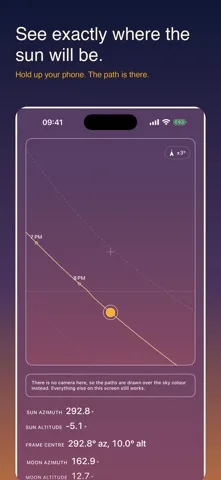
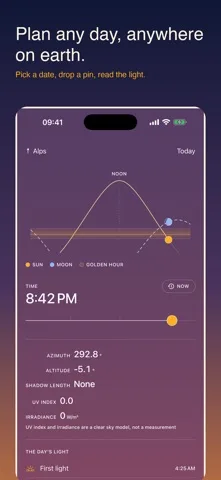
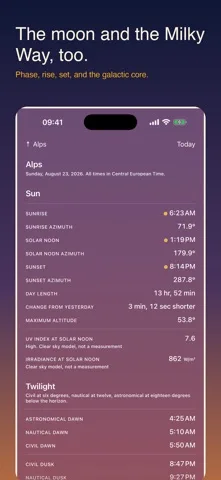
Original screenshots from the App Store.
Good to know.
Can Sunlit calculate sun positions without internet?
Yes. Astronomy calculations run on-device. Apple Maps tiles and advertising require a connection.
Is the displayed UV index a measured forecast?
No. UV index and irradiance are clear-sky models based on geometry and climatology. Clouds can change actual conditions.
Where can I download Sunlit?
The app is available on the Apple App Store. The listing has the current version, regional availability, privacy details, and in-app purchases. App Store ↗
Also worth a look.
Make something great →

Get Sunlit ↗
Store details checked September 16, 2026.