
Separate duplicate and similar-photo groups
 Everyday tools
YOUR NEXT DISCOVERY
Nixly: Clean Storage
Find the space hiding in your photos.
Nixly scans your photo library for exact duplicates, similar shots, screenshots and large videos. Review what could be reclaimed before choosing what to remove. Pro adds unlimited cleaning and on-device video shrinking. Deleted items remain in Recently Deleted until that album is cleared or expires.
Free to download · USD store listing
iOS 17.0+ · See the App Store for current pricing and in-app purchases.
YOUR QUESTION. A CLEAR ANSWER.
How can I find duplicate photos and large videos on my iPhone?
Nixly separates exact duplicates from similar shots and identifies screenshots and large videos. Review the groups before cleaning, and remember that Recently Deleted affects when storage is actually reclaimed.
Get started with Nixly.
- Scan your photo library to identify exact duplicates, similar shots, screenshots and storage-heavy videos.
- Review the suggested groups and select what you want to remove, keeping the photos you prefer.
- Check Recently Deleted after cleaning to understand when storage is reclaimed; Pro also offers video shrinking.
Here’s what you can do.
Screenshot and large-video discovery
Video shrinking and unlimited cleaning with Pro
A look inside.
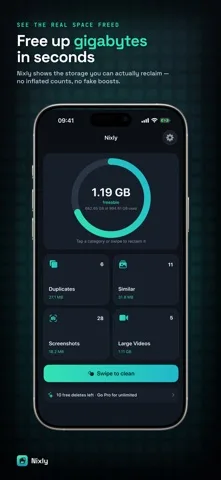
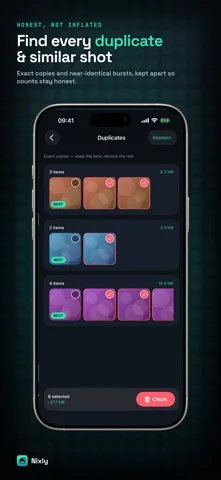
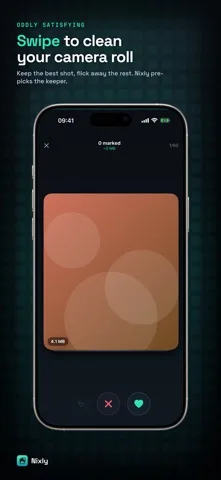
Original screenshots from the App Store.
Good to know.
Why is storage not freed immediately after deleting photos?
Photos move to Recently Deleted for up to thirty days. Space is not fully reclaimed until those items are permanently removed.
Are my photos uploaded for the scan?
No. Nixly processes the photo library on your device and does not upload your photos.
Where can I download Nixly?
The app is available on the Apple App Store. The listing has the current version, regional availability, privacy details, and in-app purchases. App Store ↗
Also worth a look.
Make my iPhone more useful →
Get Nixly ↗
Store details checked September 16, 2026.