
Built-in spam-call blocklist
 Everyday tools
YOUR NEXT DISCOVERY
Nixring: Spam Call Blocker
Put unwanted calls on the list.
Nixring blocks known unwanted callers using a list stored on your iPhone. Add your own numbers, then expand protection with Pro features such as automatic list updates and filtering texts from unknown senders. The app explains iOS restrictions instead of inventing blocked-call statistics.
Free to download · USD store listing
iOS 17.0+ · See the App Store for current pricing and in-app purchases.
YOUR QUESTION. A CLEAR ANSWER.
How can I block spam calls and filter scam texts on iPhone?
Nixring uses an on-device caller blocklist. Pro adds SMS filtering, automatic list updates, number ranges and trusted-caller exceptions.
Get started with Nixring.
- Follow the setup guidance to enable Nixring’s call-blocking features within the relevant iPhone settings.
- Use the built-in list and add specific unwanted numbers that you want your iPhone to block.
- Consider Pro for automatic list updates or unknown-sender SMS filtering, noting the app’s explained iOS limitations.
Here’s what you can do.
Add your own blocked numbers
SMS filtering and automatic updates with Pro
A look inside.
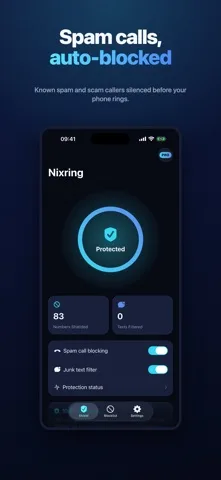
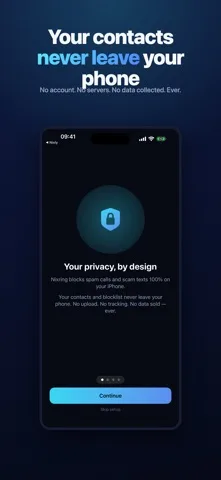
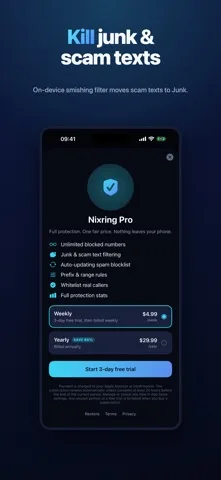
Original screenshots from the App Store.
Good to know.
Does Nixring screen every call live?
No. It works from an on-device list under Apple’s call-blocking rules, rather than evaluating incoming conversations.
Can it show the number of calls it blocked?
iOS does not report blocked calls to the app. Nixring shows protected numbers and a count of filtered texts instead.
Where can I download Nixring?
The app is available on the Apple App Store. The listing has the current version, regional availability, privacy details, and in-app purchases. App Store ↗
Also worth a look.
Make my iPhone more useful →
Get Nixring ↗
Store details checked September 16, 2026.